
Prevention · · 7 min read
Desk ergonomics: workstation setup to protect your back
No back copes well with eight hours in one position, even in an expensive chair. The most useful message from workplace guidance is to change position often. Still, a sensible setup reduces strain on your neck, lower back and wrists. This article builds a workstation step by step, adds short movement breaks that fit a workday and explains which symptoms are not an ergonomics problem.
In short
- Vary your posture often; no single position is right for a whole day.
- Put the monitor about an arm's length away with the top at or below eye level.
- Keep your feet flat on the floor or a footrest, and support the curve of your lower back.
- Keep your wrists as straight as possible and your elbows at about 90 to 120 degrees.
- Build in regular short breaks to stand, stretch or walk.
Why the setup matters
NIOSH lists awkward or unnatural postures and repetitive motion among the risk factors for musculoskeletal disorders, which affect muscles, nerves, tendons, ligaments, joints and spinal discs. They range from mild to severe and can lead to chronic pain. WHO also reports that higher amounts of sedentary behavior in adults are linked to increased all-cause, cardiovascular and cancer mortality. A good setup helps, but the strongest lever is changing position and moving.
Setting the chair, from the floor up
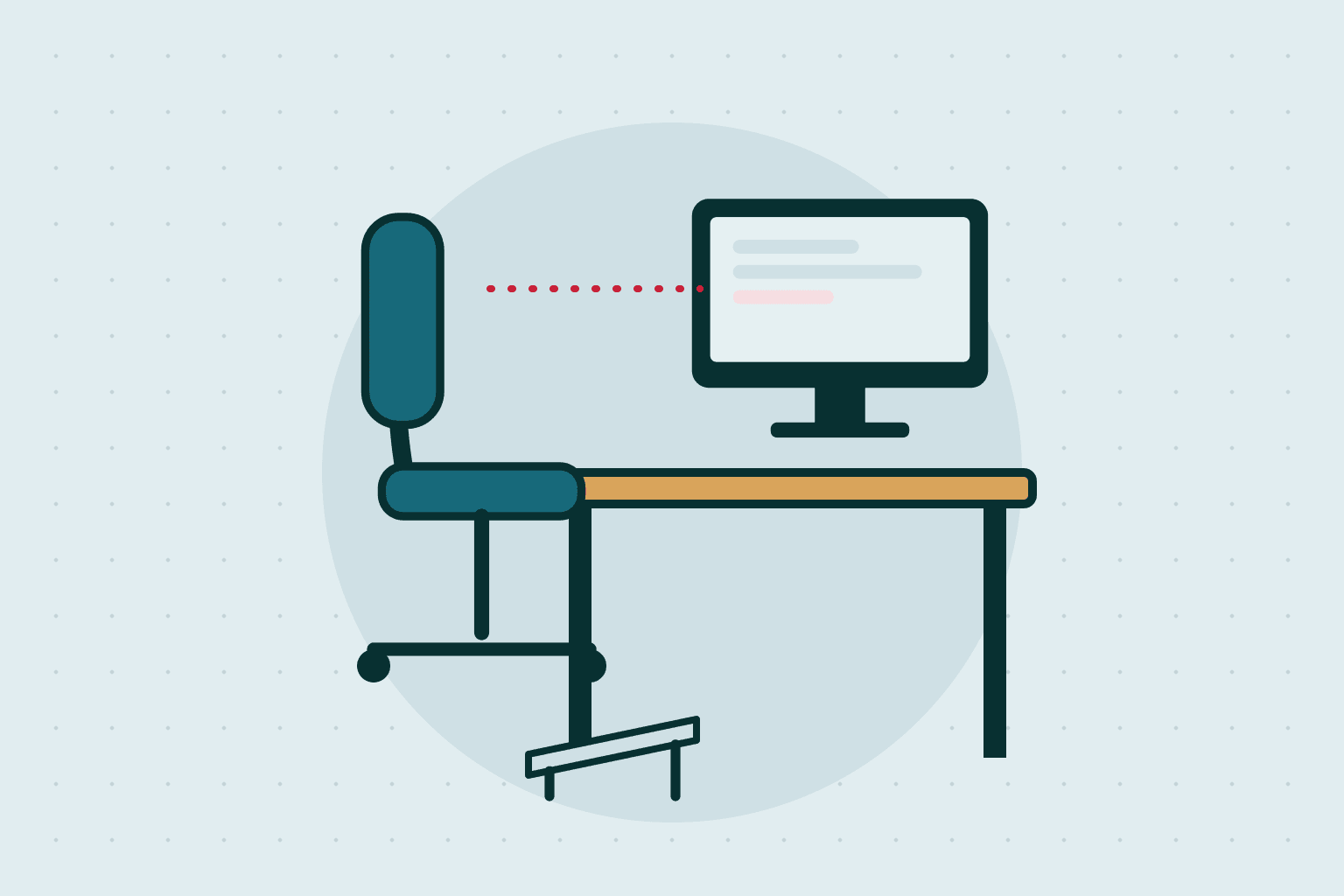
- FeetKeep both feet flat on the floor with your hips and knees at about 90 degrees. If your feet do not reach, use a footrest, a box or a book.
- SeatChoose a firm seat rather than a soft one, which encourages a slumped back.
- Lower backThe chair should support the natural inward curve of your lower back. A small rolled towel or lumbar roll at the base of the spine works if there is no adjustment.
- ArmrestsUse armrests that let your shoulders relax. Avoid resting your forearms on sharp desk edges.
- Avoid soft furnitureCouches and soft chairs are poor workstations. If you must use one, add pillows for back support.
Desk, monitor and keyboard
- Monitor: about an arm's length away, directly in front of you, with the top at or below eye level. Raise it with a book or box if needed.
- Glare: place the screen at an angle to windows and use blinds.
- Keyboard: the middle row of keys level with your elbows and forearms, arms roughly parallel to the floor.
- Wrists: keep them as straight as possible, with elbows at about 90 to 120 degrees.
- Mouse: within easy reach, so you are not stretching.
- Documents: use a document holder so source material stays in your line of sight.
Laptops are the hardest to set up, because screen and keyboard are joined, which means either your neck bends or your arms lift. NIOSH advises using an external monitor if you can, or an external keyboard and mouse if not, so you can position each separately. If you must use the laptop screen, take more frequent breaks and increase the font size.
Movement: the main ingredient
No chair makes up for staying still. NIOSH advises varying your posture often and, if possible, standing for periods, for example at a countertop. The Cambridge University Hospitals leaflet says no one should sit for more than one hour. In NIOSH research, adding hourly 5-minute breaks to twice-daily rest breaks reduced discomfort and eye strain.
- Stand or walk during phone calls, and after each meeting.
- Use breaks to stretch, walk or move around, and take at least one longer break, such as at lunch.
- Alternate sitting with standing and walking.
- Every 20 minutes, look at something about 20 feet away for 20 seconds to rest your eyes.
Wrists, hands and numbness
Repeated wrist bending and hard gripping can contribute to carpal tunnel syndrome, where swelling squeezes the median nerve in the wrist. Symptoms include aching or pain in the fingers, hand or arm, numbness and tingling, a weak thumb or trouble gripping, usually worse at night. Cutting back on repeated wrist bending or hard gripping is a recommended step, and a wrist splint worn at night can help keep the wrist straight.
See your provider if symptoms are getting worse, are not going away, or home treatment is not working. A new mouse pad will not fix nerve trouble.
A home office on a budget
- A firm cushion can raise you to the right height at the desk.
- A rolled towel behind the lower back replaces a lumbar support.
- A box or a few books under your feet fix dangling feet.
- Raise a laptop on books and add an external keyboard and mouse; it is the most effective low-cost improvement.
- Place the screen at an angle to the window to cut glare.
- Working from a bed or sofa is fine only for short periods.
Red flags and when to see a doctor
Red flags: call 911 for sudden weakness in an arm or leg, trouble speaking, a drooping face, chest pain with shortness of breath, or neck pain after a fall or injury.
See your primary care provider for hand numbness or weakness that is getting worse, pain that wakes you at night or does not change with position, or pain with fever or unexplained weight loss. Adjusting your chair is not the answer for those. Bring a note of what you do at work and when symptoms occur, because it speeds up diagnosis.
Questions for your provider or therapist
- Which movements and exercises suit my pain?
- Would a workplace assessment help?
- Could the numbness in my hand be linked to computer work?
- How long should I stand each day?
- Do I need separate glasses for screen work?
Questions and answers
Is there a perfect sitting posture?
Workplace guidance does not name one. The advice is to set up a neutral position that is easy to hold and then change it often.
Do I need an expensive ergonomic chair?
Not necessarily. Feet supported, lower back supported and a firm seat are the key points, and a footrest or rolled towel can fill gaps in an ordinary chair.
How long can I sit before I should get up?
One hospital leaflet says no one should sit for more than one hour. Shorter, more frequent breaks are better still, and NIOSH found hourly 5-minute breaks reduced discomfort.
Why does my neck hurt on a laptop?
The screen and keyboard are joined, so you either look down or reach up. Raising the screen and using a separate keyboard and mouse fixes that.
What helps tired eyes at the screen?
Reduce glare, adjust brightness and contrast, enlarge text, and look at something about 20 feet away for 20 seconds every 20 minutes.
Sources
- CDC NIOSH — Working from Home: How to Optimize Your Work Environment
- CDC NIOSH — Ergonomics and Musculoskeletal Disorders
- Cambridge University Hospitals (NHS) — Seating and ergonomics
- NHS — Carpal tunnel syndrome
- WHO — Physical activity fact sheet
Sources checked on 29 October 2026.